Fitbit Air vs Whoop: Is This the Fitness Tracker That Finally Beats Whoop?
Introduction
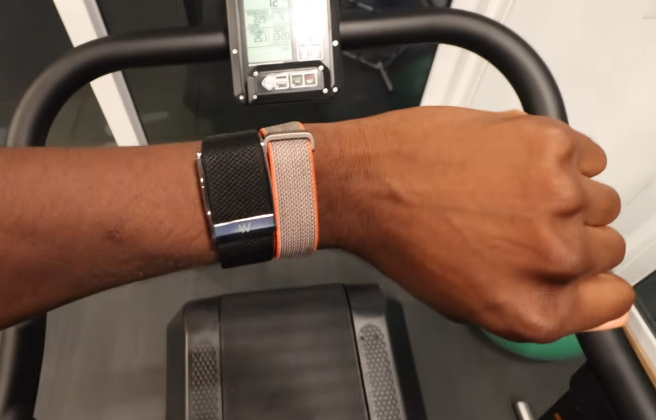
All right. So, Whoop is dominant as a fitness tracker in the world of professional and enthusiast athletes all around the world. I have a lot of friends.
I play ultimate frisbee friends and teammates who all wear Whoops.
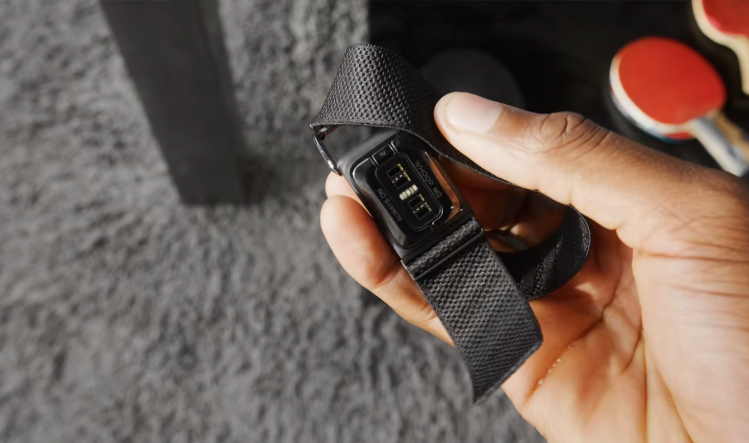
It’s this screenless lightweight puck in a thin band with all these sensors on one side that you just wear 24/7. So, when the Fitbit Air came along, a lot of those same people immediately were interested and started asking me about it.
“Hey, is it is it good? Should I should I switch? Are they comparable?”
And the main reason for that is the Whoop subscription.
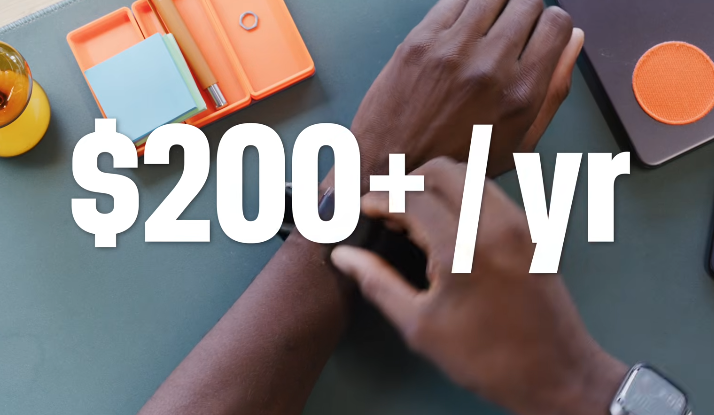
You see, you don’t just buy the Whoop tracker. You buy the tracker and then pay a membership subscription that starts at $200 a year and goes up to $350 a year forever. If you ever do stop paying, the Whoop literally doesn’t do anything anymore. Becomes a brick. It’s useless.
The Fitbit, on the other hand, doesn’t even require a subscription at all. And the subscription they do offer for extra features is much cheaper than the Whoop. It’s $100 a year.
So, almost everyone asking me about this basically just wants to know, is it as good as a Whoop, but cheaper? Cuz if so, then I might as well switch.
So, to any of my teammates out there watching this or any other athletes who are considering switching, I have spent the last almost two weeks wearing both of these things alongside an Apple Watch for a ton of stuff. Practices, games, workouts, recoveries, sleeping, and more.
I hated being that guy wearing multiple trackers at the same time, but hey, someone’s got to do it. And now I have your answer. You might not like it, but I have your answer.
Pricing: Fitbit Air Takes Direct Aim at Whoop
So, to me, it’s pretty clear Fitbit Air is designed to take direct aim at Whoop, not just with the matching form factor, which I’ll get to in a second, but with their pricing model.
So, like I said, the Whoop is free, but it’s literally useless without the subscription. I honestly hope that changes after this, but as of right now, 200 bucks a year baseline every year to get in the door.
The $99 Fitbit Air is functional with no subscription at all, and it will do a good amount of basic tracking, heart rate, step tracking, calories burned, sleep tracking, and more.
But if you want the full suite of everything, including the AI fitness coach and a big workout library, that’s $100 a year. And there’s all kinds of promos right now as it launches for like three free months of Google Health Premium.
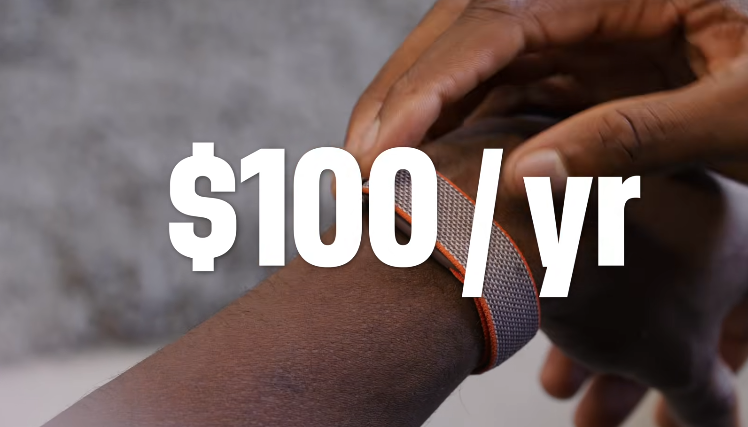
So, I would say it definitely wins the price battle.
But also keep in mind this is still Google we’re talking about here, the data and ads company. So of course they would want to sell you a subsidized fitness tracker and leverage the Fitbit name to get it in as many hands as possible because they want as much data as possible because it’s Google.
So just something to keep in mind. This is still a Google tracker.
Design and Form Factor
So it may be a surprise, but I also give Google the nod in form factor over the Whoop.
They’re both pretty small. They’re both these little plastic pucks with an optical heart rate sensor. They’re both water resistant.
But the Fitbit is a little bit more of this longer oval shape, and it’s just a little smaller, a little lighter than the Whoop. And because it’s a narrow oval, it’s a little more obscure, too. It has a thinner band on your wrist.
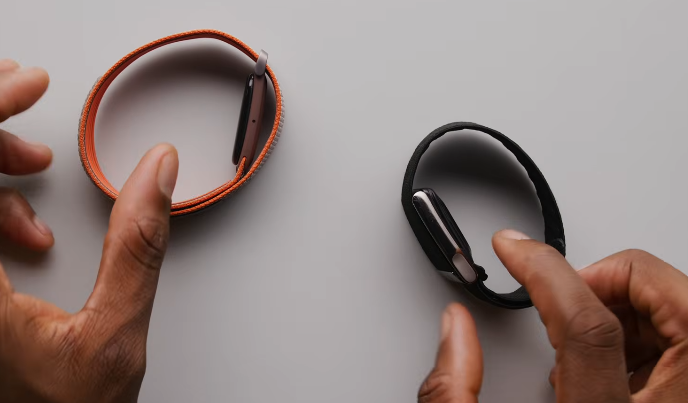
I also like that it’s velcro that you can easily adjust versus the Whoop clasp that is a little more secure, but harder to adjust.
But that also means you can pretty easily just pop the tracker out. So, the tracker you can take out of this band with a little pressure, so you can switch bands super easily, which I really like.
Accessories and Bands
I will say though, since the Whoop has existed for many more years than this Air, it has the advantage of a ton more accessories for it.
So, there’s a wristband. There’s also a bicep strap and a chest strap. Hell, they sell Whoop branded clothing where you can slip in the sensor and it still captures data as you’re wearing it. There’s literally Whoop underwear.
So, these wristbands are the only accessories for the Fitbit Air right now, which for me is fine.
There are three wristband materials:
- Performance Loop Band
- Active Band
- Elevated Modern Band
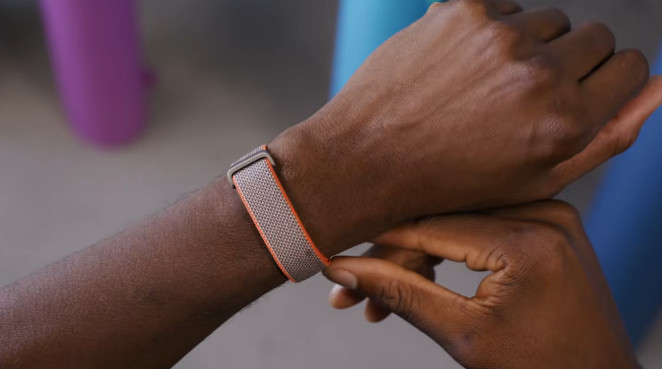
I’ve spent most of my time with this. This is the Steph Curry special edition band, which is a version of the performance loop, but it’s this knitted fabric that kind of reminds me of the Apple Watch Trail Loop.
It is comfortable. It is secure. It was never an issue, but it does get a little damp if you sweat a lot in it.
So, I would say that the rubber-like active band is probably more ideal for a lot of sweat.
If the whole point of these screenless fitness trackers is to be discreet and understated, so you can wear an actual watch on the other wrist or something like that and dress it up, then these are all pretty good, but this elevated modern band is probably actually the best one.
Why This Comparison Matters
So, I would consider myself a pretty serious competitive athlete.
I play ultimate frisbee and I play at a high level on club and pro teams. And so that involves a lot of practices and games, but then also a lot of workouts and cardio training and recovery and all that in between.
And I track everything.
So for years, I’ve done all this stuff wearing an Apple Watch. That’s been there for a long time. That’s my baseline.
But honestly, I would say I’m more of a free agent. I’m open-minded. I am very much willing to switch and become either a Whoop or Fitbit person if the data and the experience is that much better or more personalized for me.
So, yeah, me wearing all three of these things for the past week and a half and doing all these activities was just as much an exercise and data collection as it was in my own personal interest.
The Google Health App and AI Coach
This new Fitbit Air plugs straight into the Google Health app, which was previously the Fitbit app.
The app is pretty good.
When you first jump in, you set this thing up. And if you’re paying the subscription, you can talk to the AI coach and tell it what you want to accomplish and what your goals are, and it will build something up for you to start following from day one.
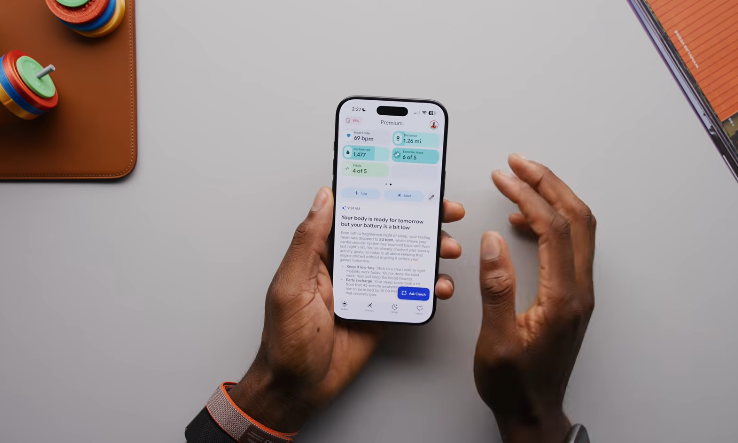
From that point on, every single day in the app, there’s some new info looping in the sleep you had the night before and the weather that day, and just giving you suggestions on what to focus on.
At any point, you can hit that blue button at the bottom and talk to the AI coach, ask it questions, and it gives you personalized answers based on your setup and all the data that it has about you.
The idea is you can have this AI trainer and just tell it everything about you and it can replicate that same experience and be just as personalized and responsive.
Whoop’s Advanced Features
Now the Whoop feature set I would say is a bit more advanced and comprehensive.
Whoop also has:
- Daily stress monitoring
- Recovery scores
- Built-in journaling
- Advanced Labs for blood test tracking
- AI-powered assistance
- Extensive performance analytics
It’s a bunch more ways of interpreting the data coming off of the tracker.
So, if the Apple Watch is like beginner mode of just getting started, feels like the Fitbit is kind of like medium proficiency.
And then it does feel like the Whoop is made for someone more advanced.
Accuracy and Real-World Testing
One thing that’s important to note about these fitness trackers is they have a bit of a calibration period when you first get them.
- Apple Watch: No calibration period
- Fitbit Air: About 7 days
- Whoop: Up to 30 days for full calibration
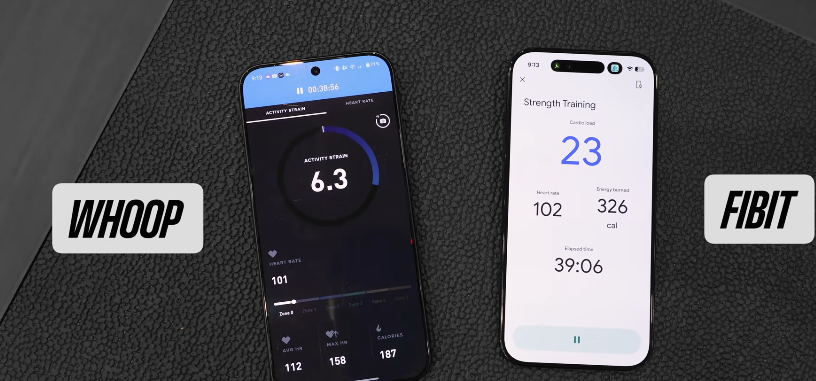
I immediately started wearing all three of these at the same time through practices, workouts, recoveries, and sleeps just to compare the data.
Overall, two things became clear:
- The Apple Watch clearly overcounts calories burned every time.
- The Fitbit Air is pretty in line with the Whoop as far as heart rate numbers across the board and it’s just a little bit higher normally in total calories burned.
The real difference is just in how they choose to summarize and present that data for you.
Cardio Load vs Strain
Every Whoop user is used to looking at strain and recovery percentage.
The Fitbit doesn’t have that.
Instead it has cardio load.
Whoop’s strain is on a scale from 0 to 21 and it’s personalized based on your history and your health.
Fitbit’s cardio load measures how elevated your heart rate gets from normal and for how long.
Once you’re calibrated, just like Whoop strain, that is the glanceable number that you can check out just to generally see how much work you’re doing.
Battery Life and Charging
Neither of these fitness trackers has a clock or a screen or any way of showing you notifications, but they both do have a haptic motor for an alarm clock.
Battery life:
Fitbit Air: Rated for 7 days, realistically 5–6 days
Whoop: Around 7–8 days
Charging:
The Fitbit comes with a USB-C magnetic charging cable and charges from 0 to 100 in about 90 minutes.
Five minutes of charging can provide roughly a full day of use.
The Whoop uses a battery puck that slides onto the tracker and charges it while you’re still wearing it.
So, you never actually have to remove the Whoop to charge it.
Ecosystem and Compatibility
Both Whoop and Fitbit Air are multiplatform compatible.
You can pair them with:
- Android phones
- iPhones
Whoop also has an iPad app.
Fitbit can integrate with other specialized fitness trackers like Garmin and Eight Sleep and pull data from those devices when appropriate.
Also, the Fitbit can read from Apple Health right now, but it cannot write to Apple Health yet.
Final Verdict: Is Fitbit Air a Whoop Killer?
Wearing all three of these has taught me that there is room for all three of them in the fitness world.
There’s like a slider:
Beginner
Apple Watch
Wear it all day, close your rings, get some steps in. The end. Super simple.
Intermediate
Fitbit Air
The same screenless form factor and it does 90% of what the Whoop does without any subscription and you actually own the thing.
Advanced
Whoop
The super dense “I really care” version for people who are tracking every little thing and trying to optimize their recovery.
So the natural reaction is that this does feel like a Whoop killer.
But I’ll add some nuance to it.
This is a Whoop killer for people who just want more of the basics of health tracking, fitness tracking, your heart rate, your sleep tracking, your step counter, your calories, your workouts, all that stuff because that’s all included.
You get that when you buy the thing and you own it.
But with the subscription, it is a Whoop alternative from Google.
So, I think people getting the most out of Whoop and all of its personalization are going to continue using Whoop.
And also for people who are just getting started, I think you can just use something that’s cheap. That’s why you should probably just go with the one built into your smartwatch.
And then for everyone else, there’s Fitbit.
Me personally, I’ve gone through this experiment. I’ve worn them all. I haven’t actually really made up my mind yet on which one I want to be.
I kind of want having notifications on my wrist, but I also want the extra data.
CREDIT GOSE TO :
Editor in chief : Ghulam mujtaba
Resource: Marques Brownlee

